
Lives in your editor's shadow
Use Vim, Cursor, Zed, VS Code — whatever you already love. Markee watches the file on disk and updates the preview the moment you save. Nothing to learn.
Renders the whole stack
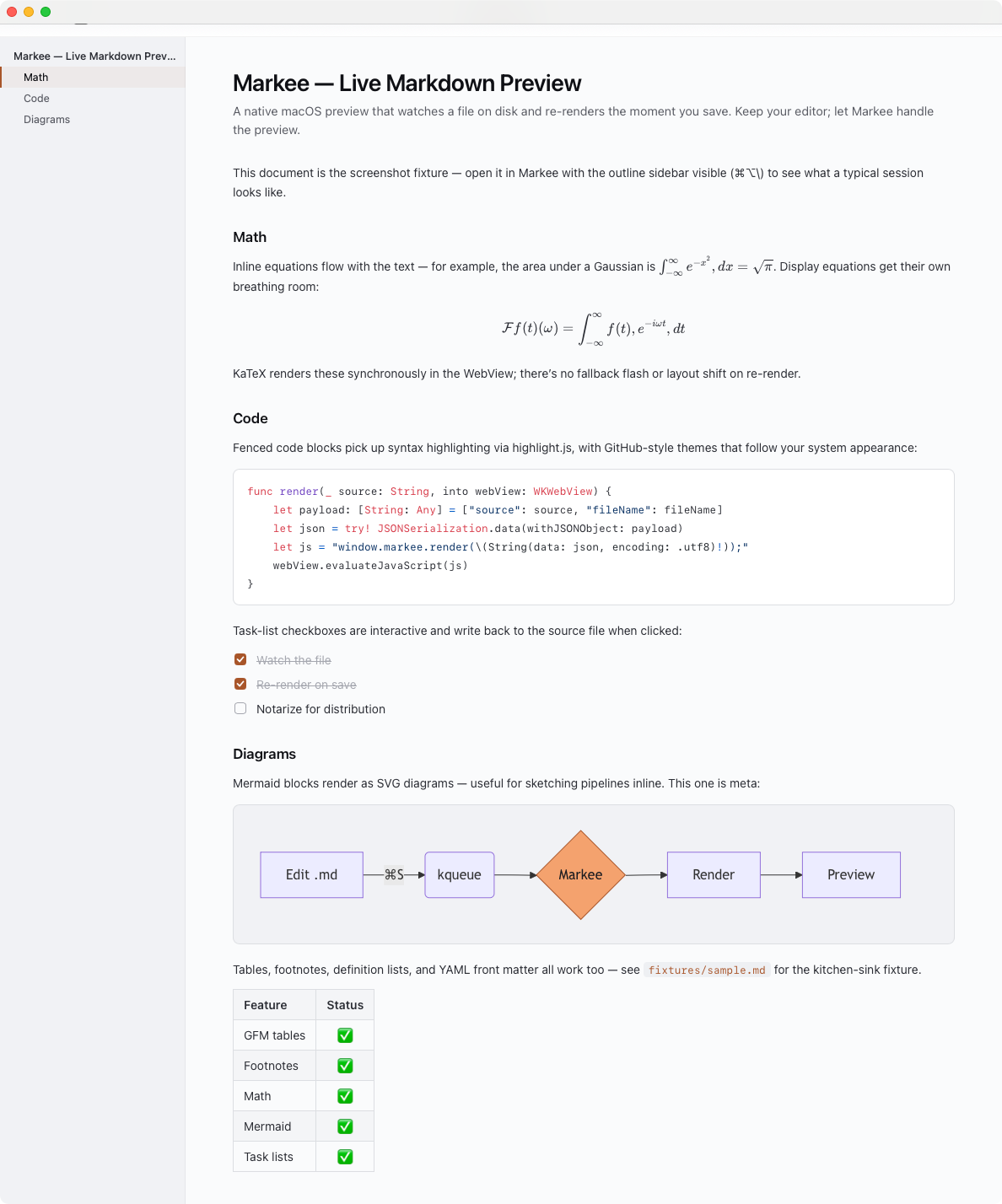
GitHub-flavored Markdown, KaTeX math, Mermaid diagrams, highlight.js code, footnotes, definition lists, task lists, YAML front matter. All offline, all in a sandboxed WebView.
Open at any heading
Press ⌥⌘E or right-click an outline row to jump your editor to that heading's source line. Auto-detects Cursor, Code, Zed, Sublime, TextMate, MacVim, and Helix.
Features
Built for the way developers actually read Markdown.
Quick Look, fully rendered
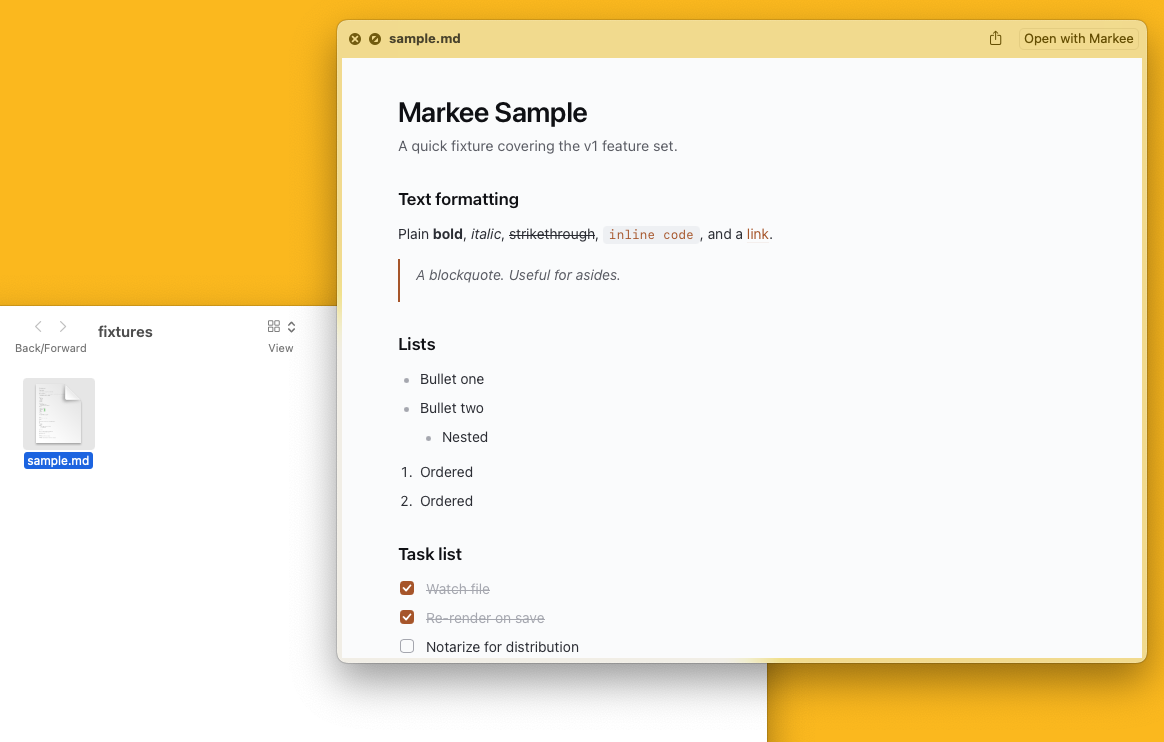
Press Space on any Markdown file in Finder and Markee renders it in place — headings, tables, code, math, and diagrams — instead of showing raw source. It's the same renderer as the app, running in a sandboxed Quick Look extension.
At home in Finder
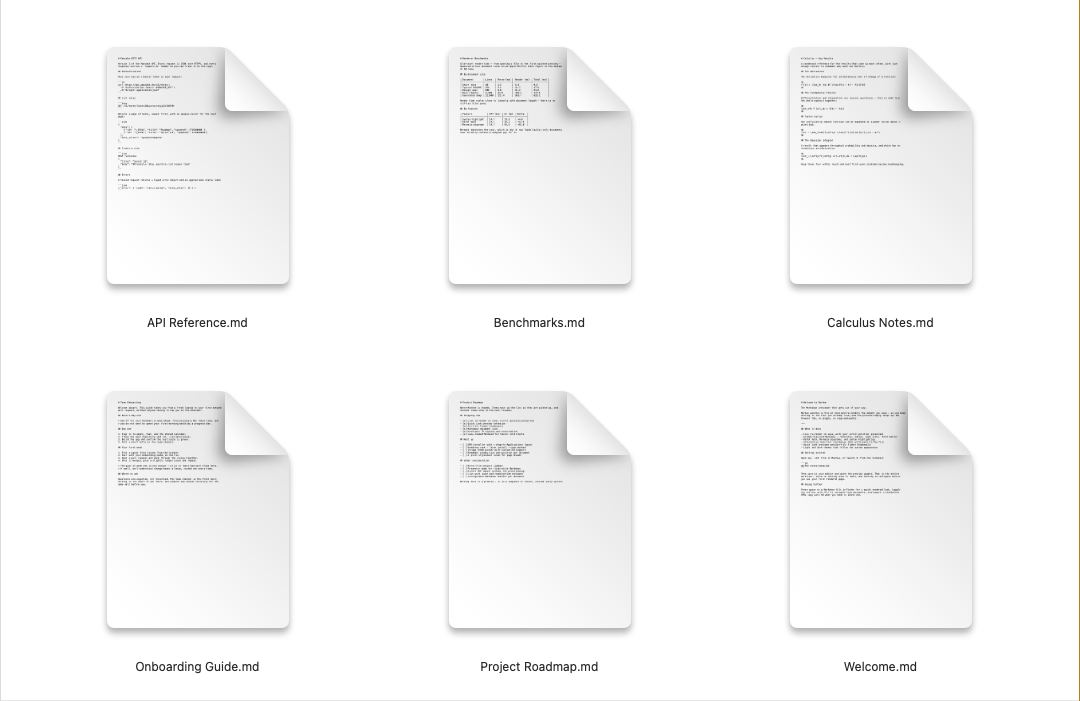
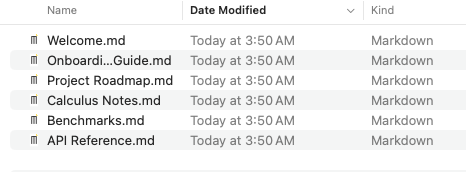
Every .md file gets a per-file thumbnail of its actual rendered content, so a folder of notes is scannable at a glance. Where a thumbnail isn't available, files fall back to a clean, branded Markdown document icon.
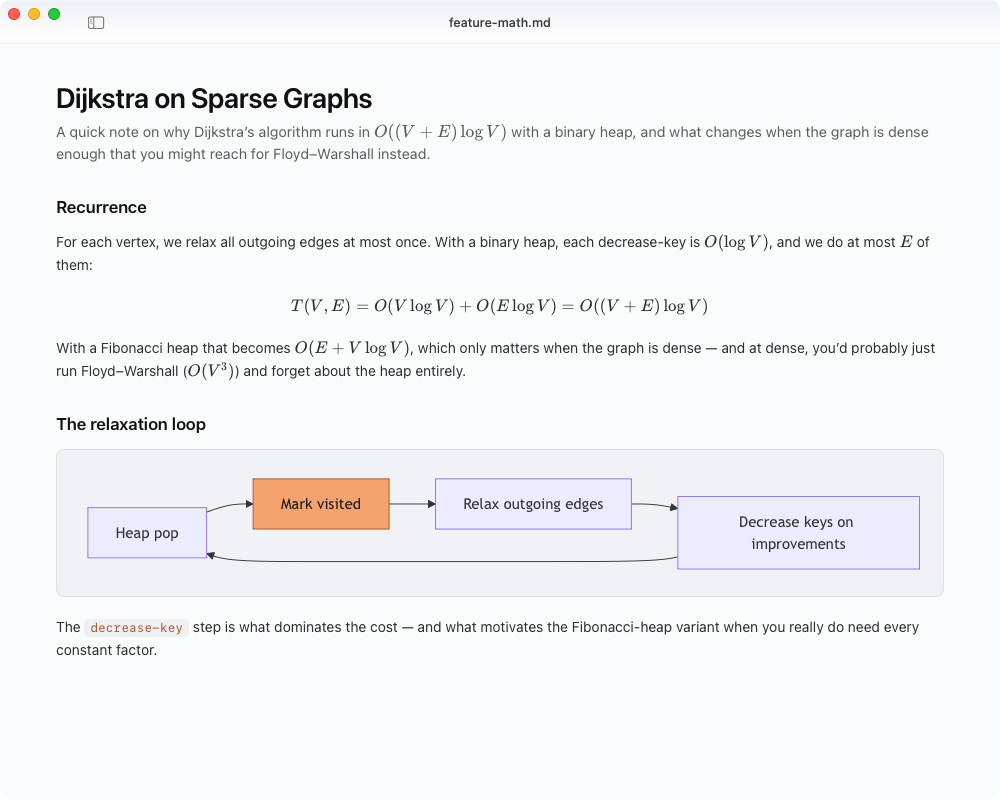
Math and diagrams, rendered in the WebView
KaTeX for inline and display equations, Mermaid for graphs and sequence diagrams, highlight.js for syntax. Every renderer is vendored at build time and runs locally — no network, no telemetry.
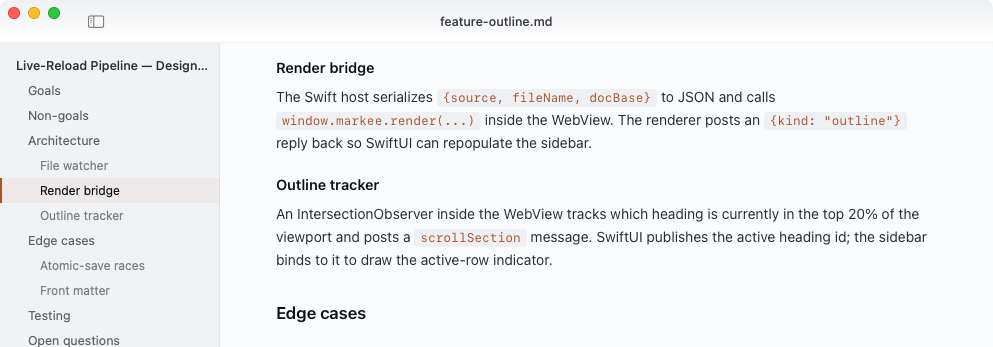
An outline that tracks where you are
The sidebar always knows the current heading — driven by an IntersectionObserver inside the WebView posting back to the SwiftUI host. Toggle the outline with ⌘⌥\ and click any row to jump.
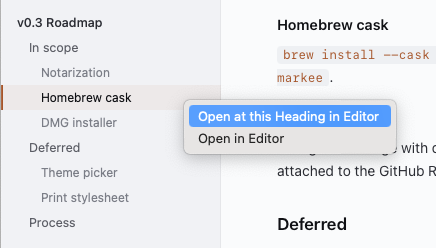
Open at any heading, in your editor
Press ⌥⌘E or right-click an outline row to jump your editor to that heading's source line. Markee auto-detects Cursor, VS Code, Zed, Sublime, TextMate, MacVim, and Helix. Override with defaults write com.markee.preview editor "<name>".
Install
Download, drag, open — no Homebrew tap, no Gatekeeper detour.
-
1
Download
Markee.app.zipfrom the latest releaseUnzip it, drag
Download v0.5.0Markee.appto/Applications. -
2
Open it
Markee is signed with an Apple Developer ID and notarized by Apple, so it opens with a normal double-click — no Gatekeeper warning, no right-click trick, no Terminal.
Prefer to build it yourself? From-source instructions on GitHub — it's three Make targets.